 +
Slack
Get AI visibility alerts
right where your team works
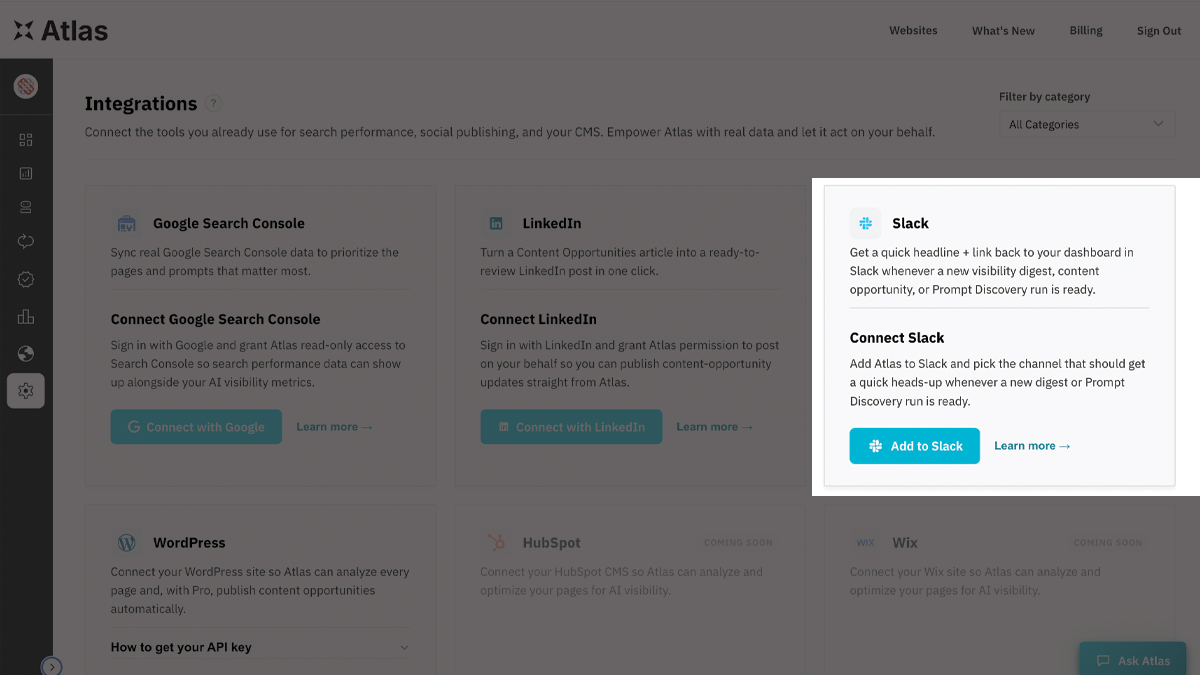
Connect Atlas to Slack and get a quick headline + link back to your dashboard whenever a new visibility digest, content opportunity, or Prompt Discovery run is ready.
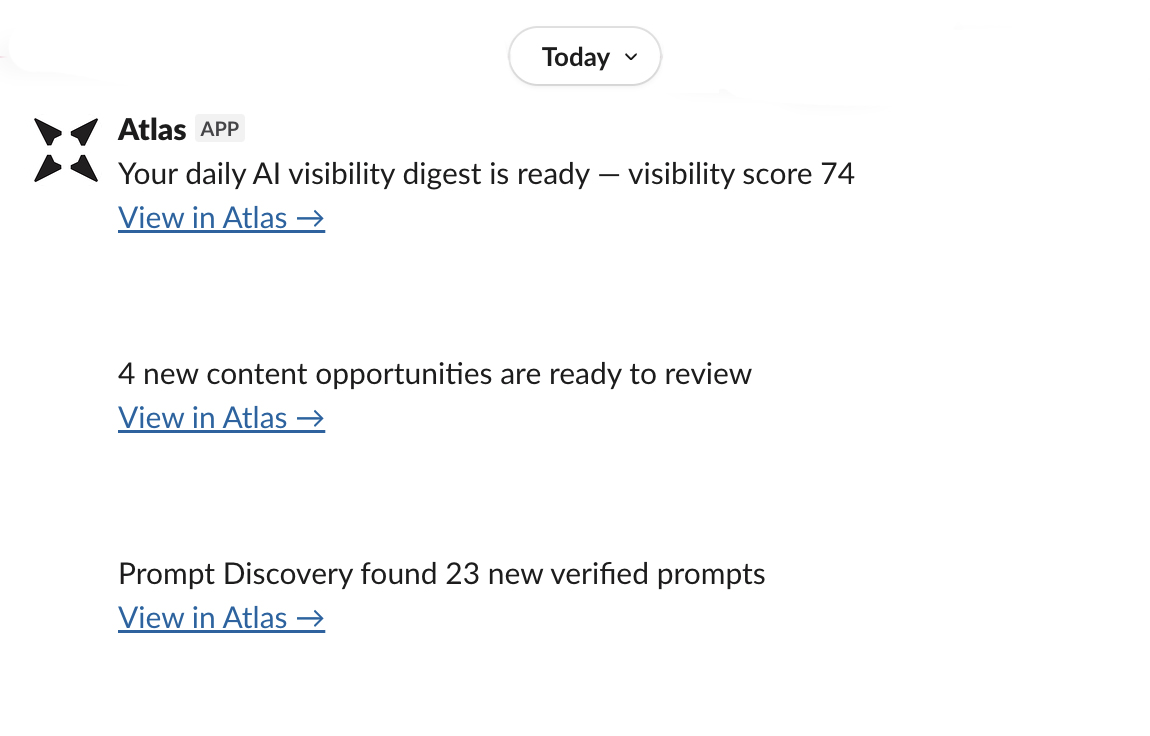
What the Atlas Slack integration does
Atlas tracks how often, and how well, AI platforms like ChatGPT, Claude, Perplexity, and Gemini mention your brand. The Slack integration solves a simple problem: nobody remembers to log in and check a dashboard on a schedule. Once connected, Atlas posts straight to the Slack channel you choose.
Know the moment something changes, right in Slack.
No dashboard to remember, no tab to check. Just a quick nudge and a link straight to what changed, dropped into the channel your team already watches.
- Daily or weekly visibility digest summaries
- New content opportunities drafted and ready to review
- Prompt Discovery runs finishing with new prompts found
How to connect Slack
Slack connections are set up per business from inside your Atlas dashboard, so the right channel always stays tied to the right account.
Log in to Atlas
Don't have an account yet? Start a free trial first — Slack notifications are available on Pro plans and above.
Open Integrations
From your dashboard sidebar, go to Integrations and find the Slack card.
Click Add to Slack
You'll land on Slack's own consent screen, where you pick exactly one channel to post to.
You're connected
Atlas redirects you right back to Integrations with a confirmation and the channel name — disconnect anytime from the same page.
Slack integration questions
Why do I need to log in to add Atlas to Slack?
A Slack Incoming Webhook has to belong to exactly one Atlas business and plan, so Atlas only starts the "Add to Slack" flow from inside your dashboard, where that context already exists. This also means Atlas never posts to a channel you didn't explicitly choose.
What data does Atlas send to Slack?
Only a short headline and a link back to your Atlas dashboard — never your visibility scores, content, or account data directly in the message.
Can I disconnect Slack later?
Yes. Go to Integrations in your dashboard and click Disconnect on the Slack card at any time — this removes the stored webhook immediately.
Is this an official Slack app?
Yes, Atlas uses Slack's standard OAuth "Add to Slack" flow with Incoming Webhooks. See our Privacy Policy for how we handle data.